Cisco Visual Device Management
Cisco Visual Device Management
The legacy telecom admin platform was originally built for engineers and IT specialists, not everyday users. Its dense, code-based interface required technical knowledge and familiarity with #tag/value pairs, leaving most non-technical admins unable to complete even basic configuration tasks without assistance. Despite supporting a wide range of desk phone models, the platform offered no visual cues, making setup and management confusing, time-consuming, and error-prone.
CONCEPT
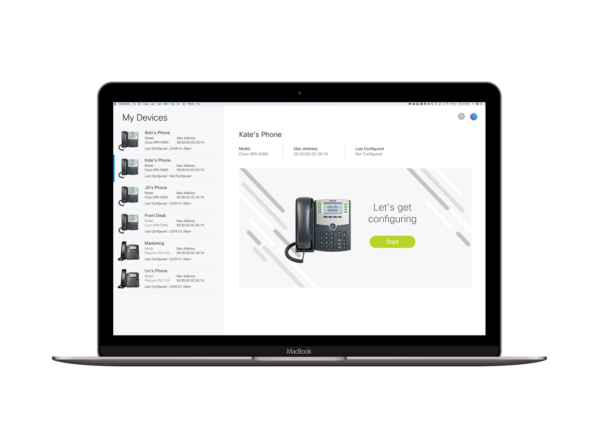
The goal of this project was to redesign the system into a user-friendly, visual interface that would allow any user—regardless of technical background—to easily configure and manage their assigned devices.
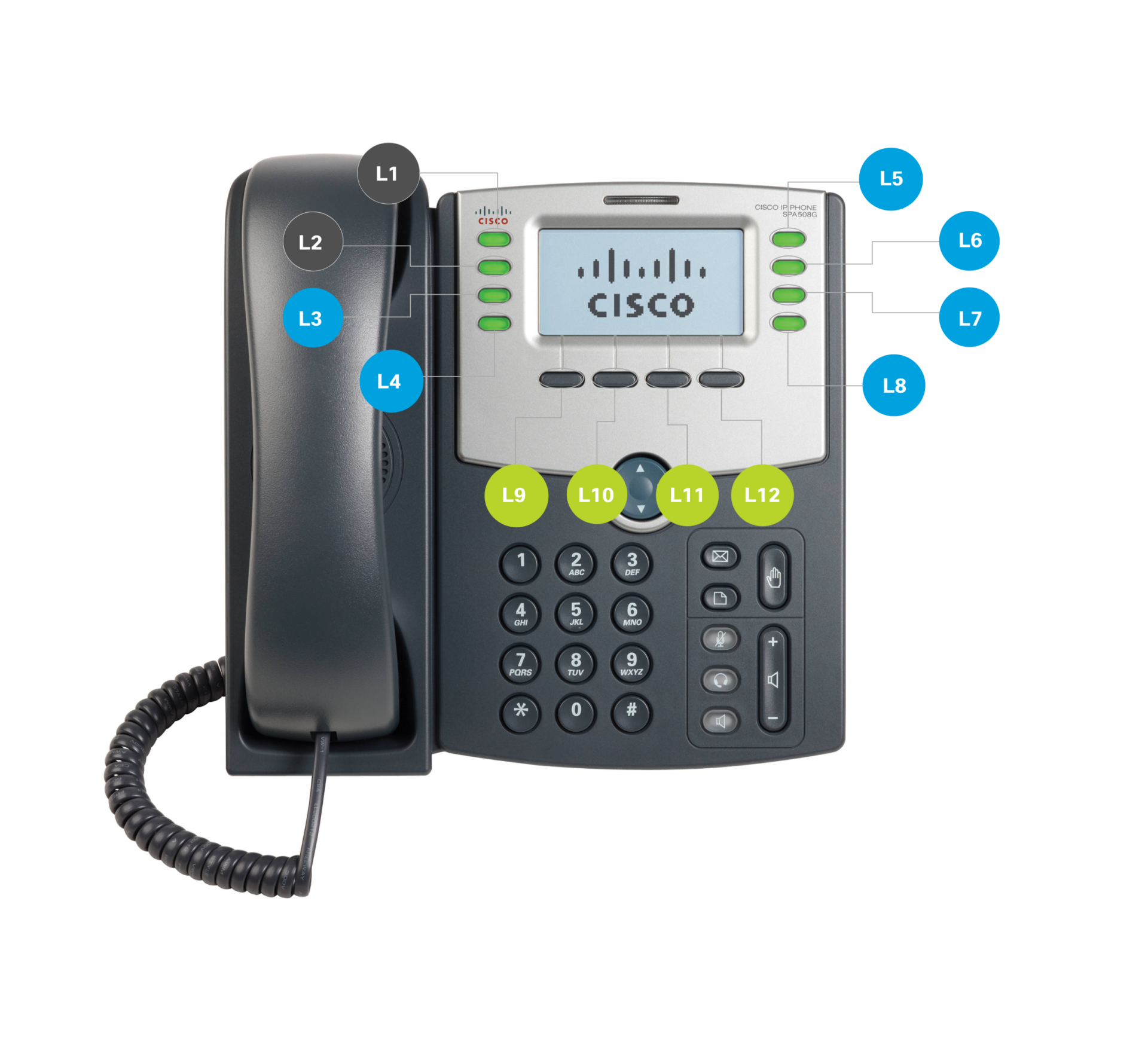
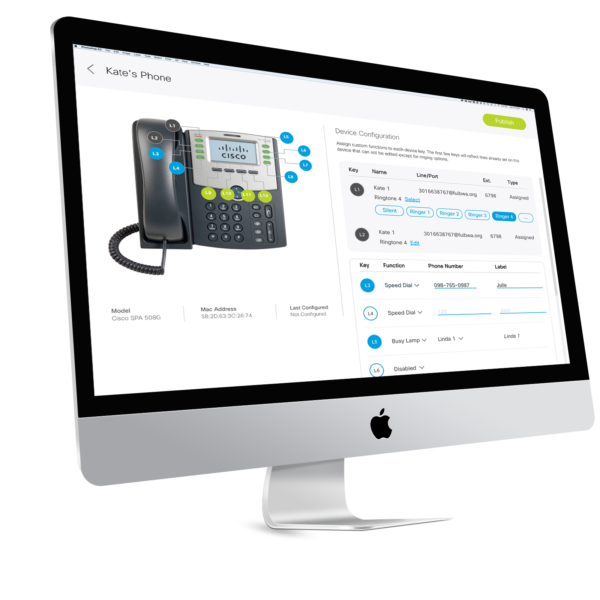
Where the legacy system demanded memorization and precision, the redesigned portal focuses on clarity, discoverability, and confidence. Each supported phone model now includes a high-quality photograph, helping users instantly recognize their device and understand its physical layout. Interactive labels highlight soft keys, function keys, and line keys, turning abstract configurations into tangible actions.
OPPORTUNITY
Previously, users were required to input functionality using text-based tag/value pairs like:
If you didn’t know the exact syntax or internal code, you couldn’t complete the setup. There was no visual guide, and errors were common.
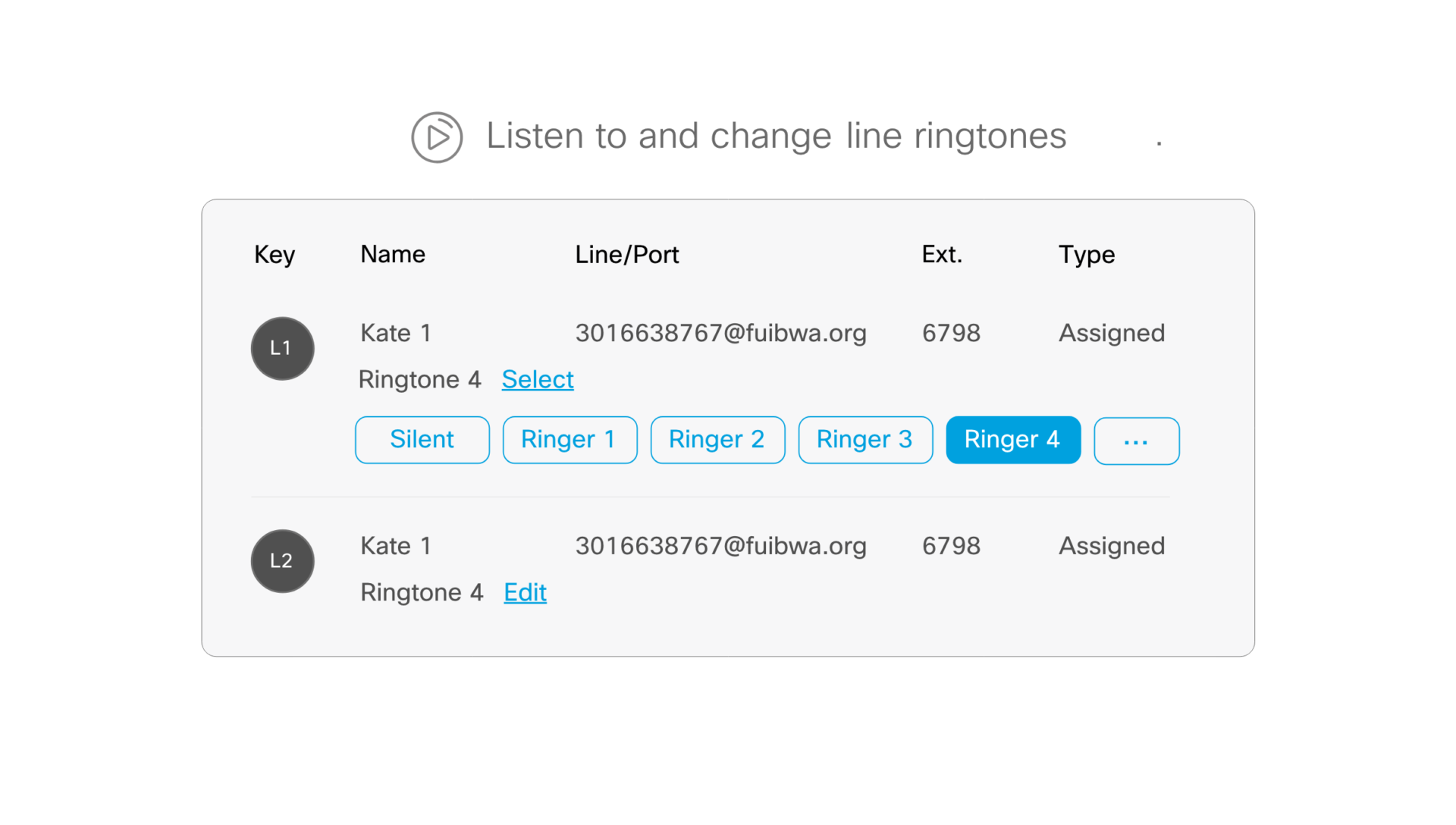
Additionally, users could choose between generic ringtones labeled only as “Ringtone 1,” “Ringtone 2,” “Ringtone 3,” etc.—with no ability to hear them before selecting. This made personalization and user confidence nearly impossible.
DESIGN
The design challenge was to create a front-end experience that replaced technical abstraction with intuitive, guided interaction.
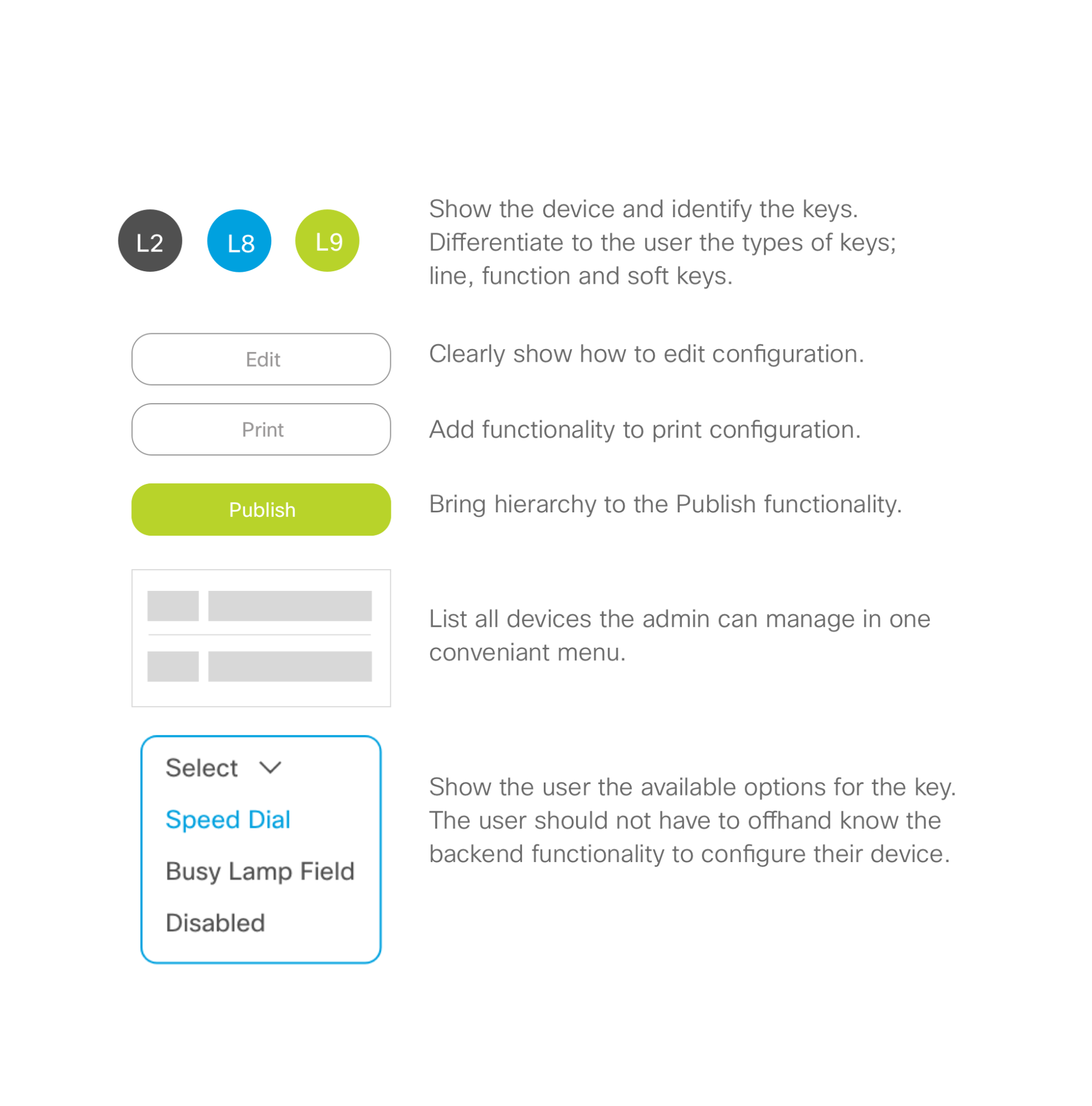
- Visual Recognition: Added photographs of each supported phone model with visual callouts identifying key areas—soft keys, line keys, and function buttons—to make device configuration self-explanatory.
- Interactive Configuration: Replaced cryptic tag/value input fields with clearly labeled dropdown menus, allowing users to assign features and preferences without technical knowledge.
- Audio Feedback: Introduced the ability to preview ringtones before selection, enabling users to confidently choose a tone that fits their preference.
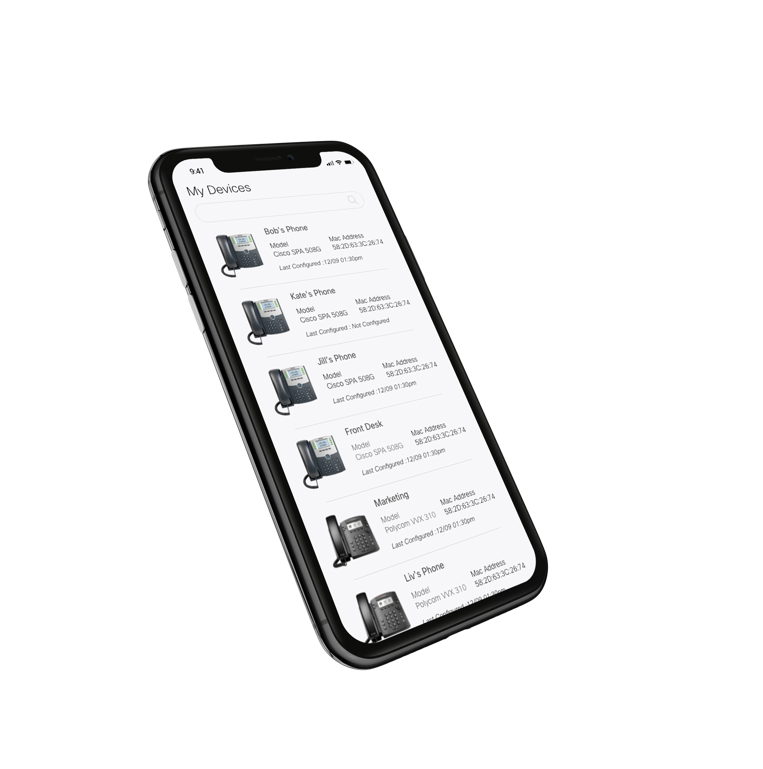
- Scalable Management: Designed a dashboard that lets users manage multiple devices seamlessly, reflecting real-world administrative scenarios.
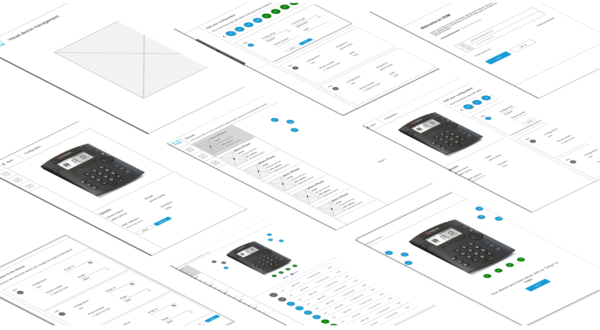
Through user testing and iteration, the interface evolved into a streamlined, approachable tool that maintained system power and flexibility while dramatically improving usability.
OUTCOME
The redesigned portal transformed an engineer-only system into an accessible, visual, and intuitive experience suitable for users across technical skill levels. Setup times were reduced, errors decreased, and satisfaction increased among non-technical admins.
What was once a tool only experts could use became a self-service management system—empowering users to confidently configure their own devices and freeing IT teams to focus on higher-value tasks.
-
Date
December 1, 2018
-
Skills
Sketch, Adobe XD, Invision,
-
Client
Cisco